To download a pdf version of the SA3CC 2025 report click here.
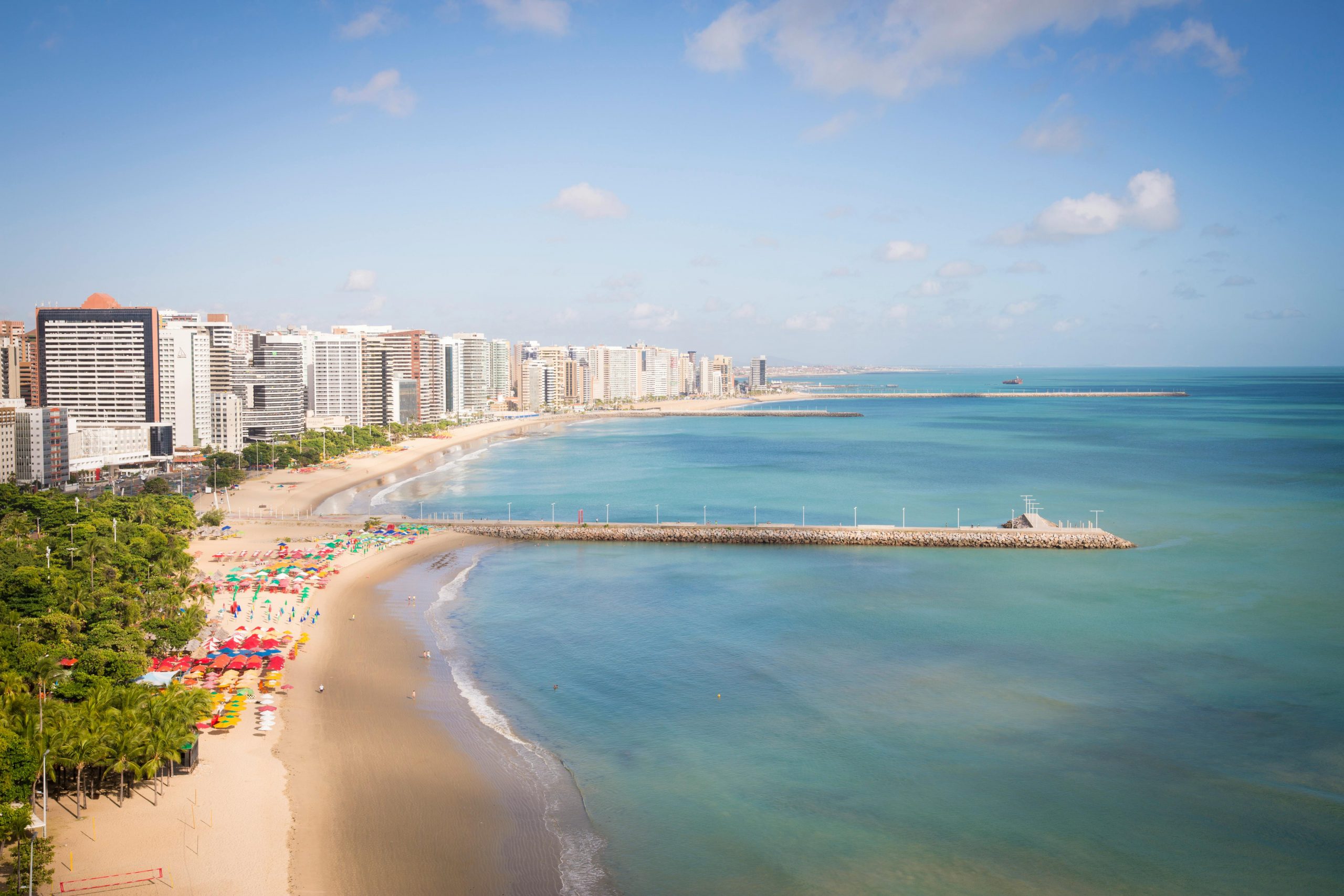
We are planning the SA3CC meeting to take place in Fortaleza, Brazil in the week of May 18-22, 2026.
SAVE THE DATE
- Trip to Angola Data Center May 18, 2026 at 9 am BRT
- SA3CC Meeting will be held on May 19-20, 2026 (9:00 am -5:00 pm)
- Vera Rubin Observatory NET Meeting (optional) will be held on May 21-22, 2026 (9:00 am -5:00 pm)
Please register by March 31, 2026.
REGISTRATION
Please register by March 31, 2026.
https://forms.gle/KZXFy7ZQaPy7B7m26
VISA Application
Your passport must be valid for at least one more month after your intended date of arrival in Brazil. You can apply for an e-Visa (tourist or business) at https://brazil.vfsevisa.com/information.
Documents Needed
VENUE
The venue will be hosted at the:
Map link here.
Transport will be provided from the hotel to the venue.
HOTEL
Hotel GRAN MAREIRO
CNPJ: 97.538.493/0001-50
Rua Oswaldo Araújo, 100, Praia do Futuro
Fortaleza • CE • Brasil
CEP 60.177-325
Official Website: www.granmareiro.com.br
Reservations Center: +55 (85) 3104-7200
Email: reservas@granmareiro.com.br
SA3CC AGENDA
Fortaleza, Brazil Tue, May 19, 2026 at 9:00 am BRT
Miami, USA Tue, May 19, 2026 at 8:00 am EDT
Los Angeles, USA Tue, May 19, 2026 at 5:00 am PDT
Tucson, USA Tue, May 19, 2026 at 5:00 am MST
Santiago, Chile Tue, May 19, 2026 at 8:00 am CLT
Berlin, Germany Tue, May 19, 2026 at 2:00 pm CEST
Paris, France Tue, May 19, 2026 at 2:00 pm CEST
London, United Kingdom Tue, May 19, 2026 at 1:00 pm BST
South Africa Standard Time, SAST Tue, May 19, 2026 at 2:00 pm SAST
Monday, May 18, 2026
7:00- Breakfast at the Hotel
9:30 am – Visit to Angola Data Center
Transport will be provided. Please be in front of the hotel at 9:15 am.
Tuesday, May 19, 2026
7:00- Breakfast at the Hotel
8:15 – Transport to Polo de Inovação IFCE will be provided. Please be in front of the hotel at 8:15
9:00 – 9:10 Welcome | Download presentation
Session I: Science Requirements & Activities Updates
9:10 – 9:30 Vera C. Rubin Observatory Operations (Bob Blum) | Download presentation
9:30 – 9:50 NOIRLab science programs (Stuartt Corder)| Download presentation
9:50 – 10:10 CTAO Astronomy (Gareth Hughes, Stefan Schlenstedt)| Download presentation
10:10 – 10:30 CTAO Data transfer (Leandro Ciuffo)| Demo was CXL
10:30 – 11:00 Refreshment Break
11:00 – 11:20 MeerKAT/SKA South Africa (Matt Hilton)| Download presentation
11:20 – 11:40 ALMA NRAO ((John Carpenter)| Download presentation
11:40 – 12:00 ngVLA (Chris Carilli)| Download presentation
12:00 – 12:20 ALMA Network Infrastructure (Jorge Ibsen) | Demo was CXL
12:20 -13:50 Group photo & Lunch on your own (please see restaurant options below)
13:50 – 14:10 FYST (a.k.a. CCAT) (Mike Nolta)| Download presentation
14:10 – 14:30 NOIRLab Data Management and Software division (Stuartt Corder)| Download presentation
14:30 – 14:50 EHT (Jason G SooHoo)| Download presentation
14:50 – 15:10 Simons Observatory (Josh Borrow)| Download presentation
15:10 – 15:40 Refreshment Break
15:40 – 16:00 Astronomy São Paulo (Eduardo Cypriano)| Download presentation
16:00 – 16:20 GMTO (Alex Carciofi)| Download presentation
16:20 – 16:40 SOAR and Gemini LNA/MCTI (Eder Martioli)| Download presentation
16:40 – 17:00 Linea (Julia Gschwnd)| Download presentation
17:00 – Transport to the hotel will be provided.
19:30 – Social dinner at Coco Bambu Beira Mar Restaurant (Menu)
Address: Av. Beira Mar, 3698 – Beira Mar, Fortaleza – CE, 60165-121, Brazil
Please note that transport to and from the restaurant will NOT be provided. Please use Uber.
Wednesday, May 20, 2026
7:00- Breakfast at the Hotel
8:15 – Transport to Polo de Inovação IFCE will be provided. Please be in front of the hotel at 8:15
9:00 – 9:10 Welcome
Session II: Providers’ updates
9:10 – 9:30 NOIRLab – ITOPS (Mauricio Rojas, Eduardo Toro) | Download presentation
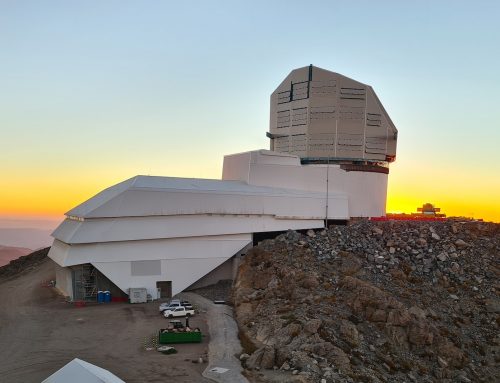
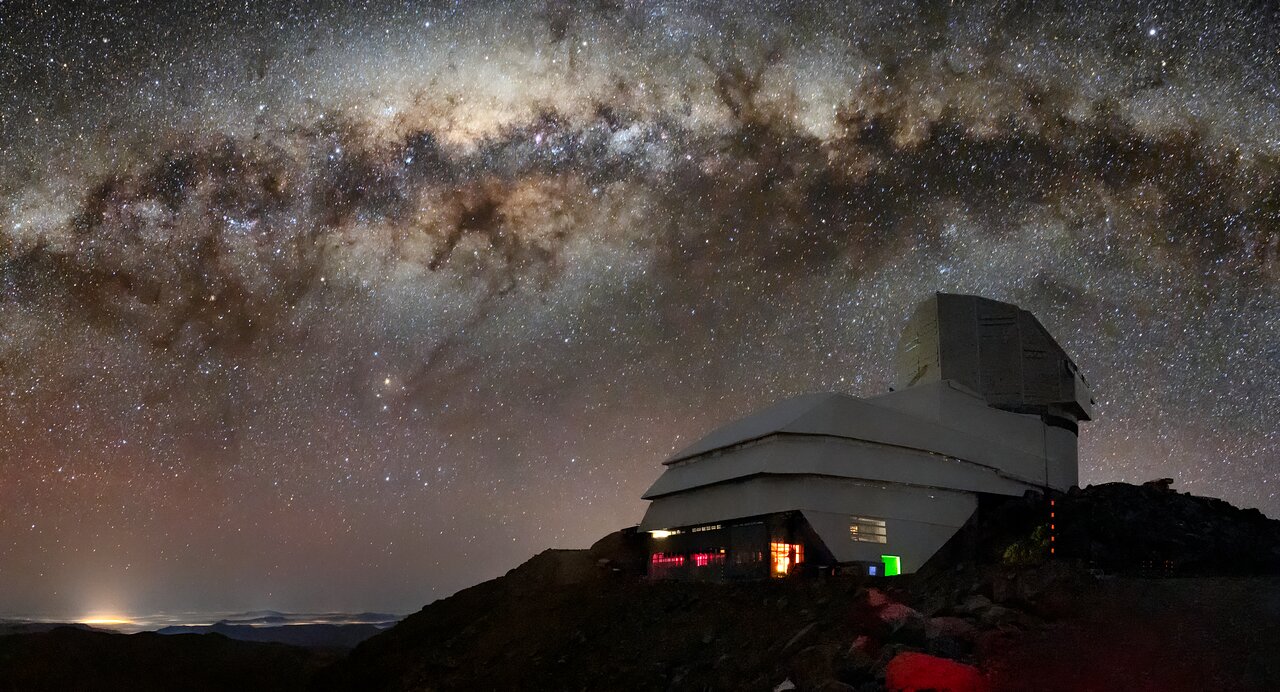
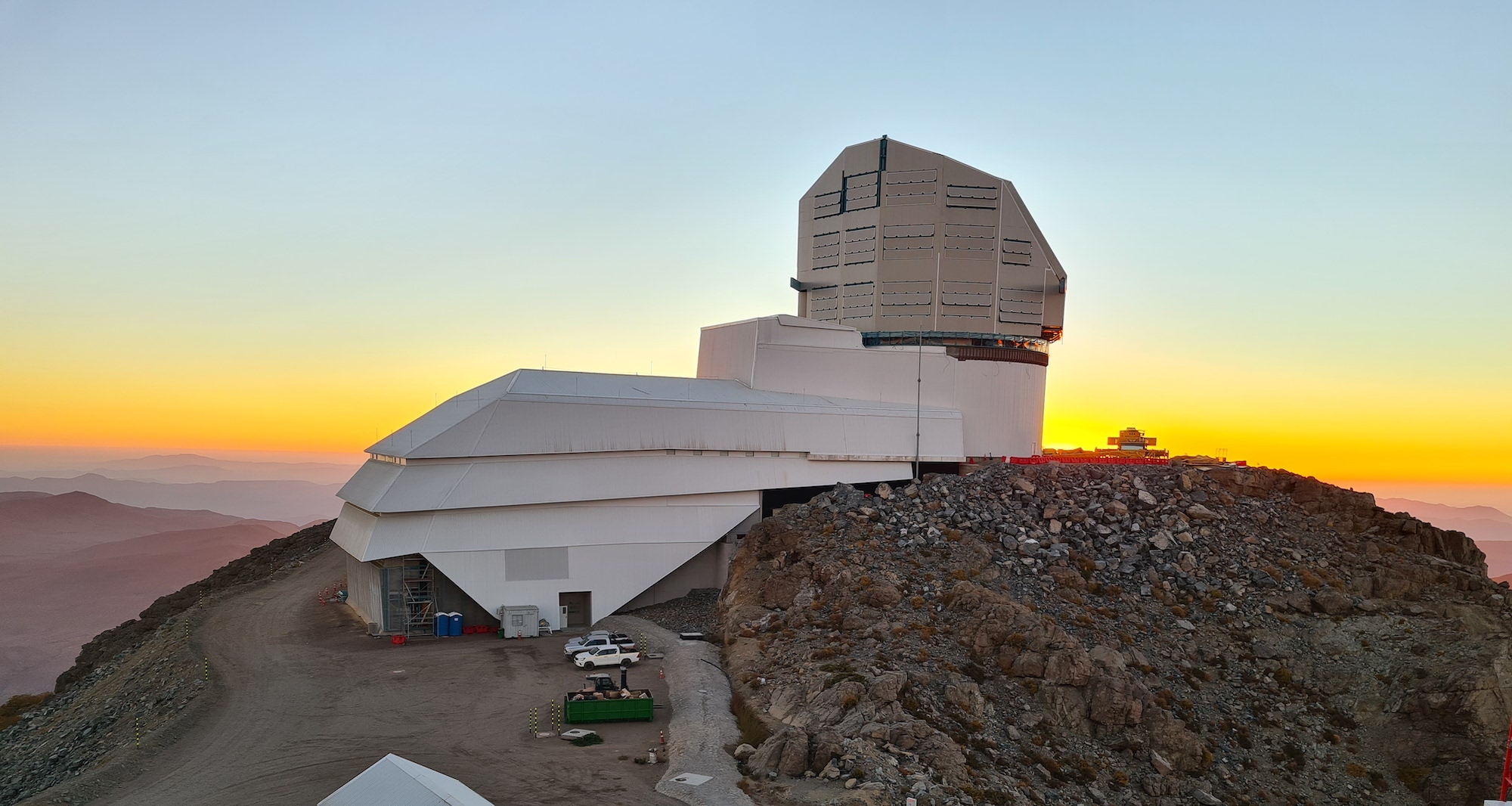
9:30 – 9:50 Vera Rubin Observatory Network (Cristian Silva)| Download presentation
9:50 – 10:10 HPC Africa (Bryan Johnston)| Download presentation
10:10 – 10:30 SANREN/TENET Network (Ajay Makan & Renier van Heerden)| Download presentation
10:30 – 11:00 Refreshment Break
11:00 – 11:20 AmLight1: International links (Jeronimo Bezerra)| Download presentation
11:20 – 11:40 AmLight2: Monitoring and Measurement Improvements (Renata Frez)| Download presentation
11:40 – 12:00 Internet2 (Chris Wilkinson)| Download presentation
12:00 – 12:20 RedCLARA (Marco Teixeira)| Download presentation
12:20 -13:50 Lunch on your own (please see restaurant options below)
13:50 – 14:10 RNP (Auizio Hazin)| Download presentation
14:10 – 14:30 rednesp (Ney Lemke) | Download presentation
14:30 – 14:50 USDF data movement and multi-site processing (Wei Yang) | Download presentation
14:50 – 15:10 USDF infrastructure (Riccardo Veraldi) | Download presentation
15:10 -15:40 Refreshment Break
15:40 – 16:00 ESnet (Kate Robinson & Paul Wefel) | Download presentation
16:00 – 16:20 REUNA (Albert Astudillo) | Download presentation
16:20 – 16:40 Leadership Class Computing Facility (LCCF) (Jennifer Schopf) | Download presentation
16:40 – 17:00 Vera Rubin Alerts (Tom Matheson) | Download presentation
17:00 – 17:20 Open discussion
Rubin Observatory NET Meeting Agenda
Fortaleza, Brazil Thu, May 21, 2026 at 9:00 am BRT
Miami, USA Thu, May 21, 2026 at 8:00 am EDT
Los Angeles, USA Thu, May 21, 2026 at 5:00 am PDT
Tucson, USA Thu, May 21, 2026 at 5:00 am MST
Santiago, Chile Thu, May 21, 2026 at 8:00 am CLT
Berlin, Germany Thu, May 21, 2026 at 2:00 pm CEST
Paris, France Thu, May 21, 2026 at 2:00 pm CEST
London, United Kingdom Thu, May 21, 2026 at 1:00 pm BST
South Africa Standard Time, SAST Thu, May 21, 2026 at 2:00 pm SAST
Thursday, May 21, 2026
Theme: Measuring the Network that Measures the Universe
7:00- Breakfast at the Hotel
8:15 – Transport to Polo de Inovação IFCE will be provided. Please be in front of the hotel at 8:15
9:00 – 9:10 Welcome
9:10 am – Session 1: Review and update the LHN status and milestones after one year of Operations (Moderator Cristian Silva)
Objective: To understand the current state of Operations, LHN milestones achieved and LHN milestones remaining, since the start of Operations. Operations focused.
10:30-11:00 Refreshment Break
11:00 Session 2: Operations Model (Moderator Philip J Demar)
Objective: draft operations framework/model document.
12:00-13:30 Lunch on your own (please see restaurant options below)
13:30 Session 3a: Monitoring and Measuring LHN Performance (Moderator Julio Constanzo)
Dashboards and LHN performance
15:00-15:30 Refreshment Break
Session 3b: Monitoring and Measuring LHN Performance (Moderator Julio Constanzo)
What is the role of the VNOC?
16:30 Closing
17:00 Transport to the Planetário will be provided
18:00- 19:30 – Visit to Planetário Rubens de Azevedo (R. Dragão do Mar, 81 – Praia de Iracema, Fortaleza – CE, 60060-390, Brazil).
19:00 Transport to the hotel will be provided.
Friday, May 22, 2026
7:00- Breakfast at the Hotel
8:15 – Transport to Polo de Inovação IFCE will be provided. Please be in front of the hotel at 8:15
9:00 – 9:10 Welcome
9:10 am – Session 3c: Monitoring and Measuring LHN Performance (Moderator Julio Constanzo)
What are we measuring, and what are we missing?
10:30-11:00 Refreshment Break
Session 4: Change Management, Cristian
12:00-13:30 Lunch on your own (please see restaurant options below)
13:30 – Session 5: Troubleshooting (Moderator Julio Constanzo)
15:00-15:30 Refreshment Break
15:30 – Session 6: Diagrams (Moderator Julio Ibarra)
16:30 – Session 7: Closing
17:00 – Transport to the hotel will be provided.
AIRPORT & Transport
Fortaleza airport: https://fortaleza-airport.com.br/en
Transport from/to Fortaleza Airport: Uber
Booking a ride in Fortaleza is a straightforward process, but there are a few “pro-tips” for foreigners—especially regarding the 99 app, which has a few more hurdles than Uber.
1. Booking with Uber
If you already have the Uber app on your phone, you don’t need to do anything new.
-
How to book: Just open the app and use it as you do at home. It will automatically detect you are in Brazil and show you local options like UberX, Comfort, and Uber Moto.
-
Payment: Your stored credit card will work fine. Note: Your bank may charge a small foreign transaction fee unless you have a “no-fee” travel card.
-
Language: The app remains in your phone’s native language, but your driver will likely only speak Portuguese. The in-app chat has an automatic translator which is very helpful for describing your exact pickup spot.
2. Booking with 99 (99Pop)
This is the “local favorite” and is often cheaper, but it requires a bit more setup.
-
The App: Look for “99: Rides, Food, Pay” in the App Store or Google Play.
-
The Phone Number Hurdle: Unlike Uber, 99 sometimes insists on a Brazilian phone number (+55) for registration. If you are staying for more than a few days, it is worth buying a local “chip” (SIM card) at a pharmacy or newsstand.
-
The CPF Requirement: To pay via the app with a credit card on 99, you are often asked for a CPF (a Brazilian Tax ID).
-
Workaround: If you don’t have a CPF, you can select “Pay in Cash” (Dinheiro) in the payment settings. You book the ride on the app, and then pay the driver in Reais when the trip ends.
-
3. Payment Comparison
| Method | Uber | 99 |
| Foreign Credit Card | Works perfectly. | Often gets “Payment Failed” errors. |
| Cash | Available (select in “Wallet”). | Easiest way for foreigners to use 99. |
| Apple/Google Pay | Supported. | Limited support for foreign wallets. |
| Pix | Available via copy-paste code. | Available, but requires a local bank app. |
Safety & Logistics Tips
-
The “Vem Buscar” (Come Get Me) Spot: In busy areas like Shopping Iguatemi or the Beira Mar boardwalk, look for designated “App Pickup” signs. Drivers prefer these spots because they can’t stop in the middle of the main avenues.
-
Identify the Vehicle: Always check the license plate. In Fortaleza, it’s common for drivers to work for both apps simultaneously, so don’t be surprised if the car has stickers for both Uber and 99.
-
Small Change: If you choose the Cash option on 99, try to have small bills. Drivers rarely carry much change for R$50 or R$100 notes.
VISA Application
URL to apply for eVisa: https://brazil.vfsevisa.com/how-to-apply
Your passport must be valid for at least one more month after your intended date of arrival in Brazil. You can apply for an e-Visa (tourist or business) at https://brazil.vfsevisa.com/information.
Documents Needed
How to apply
These are the three simple steps for you to get your Brazilian eVisa:
Step 1: Provide the application details and upload the necessary documents.
You can apply for your visa through the VFS-managed platform using your computer or mobile phone. The first step of the eVisa application is to register your account on the website.
Provide all the required information and upload the necessary documents. For minors, additional documents are needed: please click here for more information. In this step, you should select the country that matches the passport that you hold.
If you have dual nationality, you must select the nationality of the passport that you will use for your visit to Brazil.
Step 2: Pay the fee:
After providing all the required information, you will need to pay the fee through the payment gateway. You can pay with Mastercard/Visa credit and debit cards.
Visa Fee: Australia, Canada and the United States. $80.00.
VFS Service Fee: Australia, Canada and the United States $0.90
3rd step: Download the eVisa
Upon successful payment of the fee, you will receive an email confirming the status of your application. This email will indicate whether your application has been approved, rejected, or if additional documentation is required.
If your application is approved, you will be emailed a PDF file containing your eVisa. It is essential to download, print a copy of it, and present your printed eVisa on boarding and on landing in Brazil. Additionally, we strongly recommend keeping a copy of the file on your mobile phone for easy access.
Important note:
If you fail to print and present your eVisa at the airport, you will not be permitted to board the plane.
If the applicant is a minor, an authorization form needs to be filled out and signed by one or both parents. Please download the authorization form by clicking on this link and upload the signed version with the minor’s application.
REGISTRATION
Please register by March 31, 2026.
https://forms.gle/KZXFy7ZQaPy7B7m26
VIDEO CONFERENCE
Link here: https://fiu.zoom.us/j/83671201966?pwd=sRoBCjRhM62mUmqbQoNpXhldkpWXei.1
How to use ZOOM instructions
- Create a Zoom account for a more streamlined approach to our conference.
- To create an account, visit https://zoom.us/signup and follow the instructions.
-
- To download the Zoom software, visit https://zoom.us/download.
- Click on the blue “Download” button under the section, “Zoom Client for Meetings.”
- Open the download “Zoom.pkg” and follow the installation instructions.
- To download the Zoom software, visit https://zoom.us/download.
- Helpful Commands in Zoom:
- Share your screen
- Please wait for the host to make you a presenter
- Click on “screen share” and select your presentation
- “Away” Status
- Please use the away icon if you step away, as we don’t have many breaks built into the schedule.
- Click on your profile icon in the top right corner. Set your status to “Away” by clicking the corresponding option in the drop-down menu.
- Learn more about Zoom status icons here.
- Chat:
- While in a meeting, click “Chat” in the meeting controls.
- This will open the chat on the right. You can type a message into the chat box or click on the drop down next to To: if you want to send a message to a specific person.
- When new chat messages are sent to you or everyone, a preview of the message will appear and Chat will flash orange in your meeting controls.
- Gallery View:
- In the Zoom client, click “Settings,” and then click “Video” to display the video settings page.
- Enable the option “Display up to 49 participants per screen in Gallery View.”
- Start or join a meeting.
- Click “Gallery View” in the top-right corner.
- If the meeting has 49 or fewer attendees, all of them are displayed on a single page. If more than 49 attendees are in the meeting, 49 thumbnails are displayed on each page.
- Learn more about Gallery View here.
- Hide Non-Video Participants
- When you are in “Gallery View,” right-click on any participant that either has their video off or dialed in via telephone, or you can click on the 3 dots at the upper right of their participant box.
- Choose “Hide Non-Video Participants” to hide all users with their video off.
- To show non-video participants again, click “Total non-video participants” at the top of your screen and select “Show non-video participants.”
- Learn more about Video Layout here.
- Polls + Q&A:
- When a meeting host would like you to participate in a poll or answer a question, a message box will pop up on your screen.
- You will have a limited amount of time to submit your answers.
- Raise Hand:
- During a meeting, click on the icon labeled “Participants” at the bottom center of your Zoom window.
- At the bottom of the window on the right side of the screen, click the button labeled “Raise Hand.”
- Click “Raise Hand” if you want to say something in the meeting.
- Your digital hand is now raised. Lower it by clicking the same button, now labeled “Lower Hand.
- Share your screen
CONFIRMED PARTICIPANTS
| Name | Title | Organization |
|---|---|---|
| Adam Bolton | Senior Staff Scientist | SLAC National Lab |
| Aditya Tanikanti | Lead Engineer USDF | SLAC |
| Ajay Makan | Head of Operations: SANReN | CSIR – SANReN |
| Albert Astudillo | Technical Manager | REUNA |
| Aluizio Hazin | Network Specialist | RNP |
| Ari Frazão | Deputy Director of Engineering and Operations | RNP |
| Atakalti Belay | Dr. | Arbaminch university |
| Bob Blum | Director | Rubin Observatory |
| Bruno Ferreira Baldim | Engenheiro de Rede | rednesp-FAPESP |
| Bryan Johnston | CHPC Lead | NICIS |
| Buseung Cho | Director | KREONET/KISTI |
| Carlos Adean | Researcher | LIneA |
| David Ripley | Director, GlobalNOC Software and Systems Engineering | Indiana University GlobalNOC |
| Eder Martioli | PhD | Laboratório Nacional de Astrofísica |
| Eduardo Serra Cypriano | From Galaxy Density Profiles and Gravity Tests to Halo Assembly Histories: Strong and Weak Lensing with LSST | Universidade de São Paulo |
| Edward Ajhar | NSF Program Director for Rubin Observatory | National Science Foundation |
| Eli Dart | Network Engineer | ESnet/LBNL |
| Fabio Hernandez | Rubin Observatory France Data Facility Lead | IN2P3 / CNRS computing centre |
| Gareth Hughes | Research Specialist | CTAO |
| George Beckett | Project Manager | University of Edinburgh |
| Heidi Morgan | Sr. Computer Scientist | USC-ISI |
| Hernan Stockebrand | DevOps Network Engineer | Rubin Observatory |
| Jason SooHoo | Research Network Engineer | MIT Haystack Observatory |
| Jennifer Schopf | Director, Networking Partnerships | TACC, UT Austin |
| Jeronimo Bezerra | IT Associate Director | FIU |
| João Eduardo Ferreira | Professor | FAPESP – Brazil |
| John Carpenter | ALMA Observatory Scientist | Joint ALMA Observatory |
| Josh Borrow | Systems Architect | University of Pennsylvania |
| Julia Gschwend | BRA-LIN Program Manager | LIneA |
| Julio Constanzo | DevOps Network Engineer | Vera C. Rubin Observatory |
| Julio Ibarra | Research Professor | Florida International University |
| Kate Robinson | Network Engineer | ESnet |
| Kevin Kelleher` | Network Engineer | SLAC National Accelerator Laboratory |
| Kevin Thompson | PM | NSF |
| Luiz da Costa | Director-General | LIneA |
| Marco Teixeira | Chief Technology Officer | RedCLARA |
| Matt Hilton | Professor | University of the Witwatersrand |
| Mauricio Rojas | Network eng. | NOIRLAB/AURA |
| Mike Nolta | Software Lead | CCAT Observatory |
| Ney Lemke | Professor of Physics and Biophysics | Unesp |
| Paul Wefel | Net Engineer | ESnet |
| Renata Frez | Network Engineer | AmLight |
| Riccardo Veraldi | S3DF Infrastructure and security operations | SLAC |
| Sam Chan | IT Director and GMTO CISO | GMTO |
| Sara Moverley | Head of HE-Research | Jisc |
| Sebastián Carvajal | Sr Operations | Red Universitaria Nacional |
| Sergio Cofré Morales | Network Engineer | REUNA |
| Simone Aiola | Data & Pipeline Software Lead, Simons Observatory | Simons Foundation |
| Stefan Schlenstedt | Computing Coordinator | CTAO |
| Stuartt Corder | Deputy Director | NOIRLab |
| Tim Chown | Network Development Manager | Jisc |
| Vasilka Chergarova | IT Assistant Director | FIU |
| Vitor de Souza | Professor | FAPESP |
| Wei Yang | Information Systems Spec | SLAC National Accelerator Laboratory |
| William O Mullane | Rubin AD Data Management | Rubin Observatory |
DINING OPTIONS close to venue Polo de Inovação IFCE
Lunch options close to the venue Polo de Inovação IFCE (https://polodeinovacao.ifce.edu.br/ R. Nogueira Acioli, 621 – Aldeota, Fortaleza – CE)
DINING OPTIONS close to Hotel Gran Mareiro
…
Since the Hotel Gran Mareiro is located directly on Praia do Futuro, you have several excellent dining options within a very short walk (less than 500 meters) along the beach.
Órbita Blue Bar
This is one of the most stylish beach clubs in the area, offering a sophisticated but relaxed atmosphere just a 2-minute walk from the hotel.
- Distance: ~150 meters (0.1 miles)
- Website: orbitablue.com.br
- Known for its modern international menu, including gourmet burgers and fresh seafood.
- Reviewers often highlight the high-quality cocktails and the clean, contemporary lounge vibe.
Terra do Sol
A traditional and very popular “barraca” that provides a classic Fortaleza beach experience with extensive seating and a large menu.
- Distance: ~300 meters (0.2 miles)
- Website: terradosol.com.br
- This spot is famous for its local crab (caranguejo) and traditional shrimp dishes.
- It features a playground for families and a more bustling, lively environment.
Chico do Caranguejo
One of the most iconic destinations on Praia do Futuro, located just a few minutes down the sand from the hotel.
- Distance: ~450 meters (0.3 miles)
- Website: chicodocaranguejo.com.br
- Widely regarded as the best place to experience “Caranguejada” (crab night), especially on Thursday evenings.
- It offers a complete infrastructure with a water park area and live local music.
Vira Verão
Located almost immediately adjacent to the hotel, this is a great choice for a casual lunch without having to leave the immediate vicinity.
- Distance: ~100 meters (0.05 miles)
- Website: viraverao.com.br
- The menu focuses on standard beach fare like grilled fish and cold Brazilian beer.
- It is a quieter alternative to the massive beach clubs further down the strip.
Here is a selection of highly-rated restaurants located within a short drive of the Hotel Gran Mareiro, along with their websites and approximate distances:
Local & International Favorites
Coco Bambu Dom Pastel
Star rating: 4.8 out of 5 stars 4.8 · Price range: R$60–160 R$60 to R$160
Category: Seafood restaurant
Open · Closes 12:00 AM
A staple of Fortaleza dining, this location is part of a renowned Brazilian chain famous for its massive seafood portions and extensive menu.
- Distance: ~3.7 miles (6 km) from the hotel
- Website: cocobambu.com
Sal e Brasa Fortaleza
Star rating: 4.6 out of 5 stars 4.6 · Price range: R$60–140 R$60 to R$140
Category: Restaurant
A classic Brazilian steakhouse (churrascaria) offering a high-end rodízio service with a wide variety of prime meat cuts and a large buffet.
- Distance: ~3.5 miles (5.6 km) from the hotel
- Website: salebrasa.com.br
La Bella Itália
Star rating: 4.6 out of 5 stars 4.6 · Price range: R$80–180 R$80 to R$180
Category: Italian restaurant
Considered one of the city’s best Italian restaurants, it offers a sophisticated atmosphere with authentic pasta and risotto dishes.
- Distance: ~4.2 miles (6.8 km) from the hotel
- Website: labellaitaliafortaleza.com.br
Moranga Bistrô
Star rating: 4.4 out of 5 stars 4.4
Category: French restaurant
A charming and intimate spot in the Praia de Iracema area known for its creative fusion of Brazilian flavors and international bistro techniques.
- Distance: ~4.4 miles (7 km) from the hotel
- Website: facebook.com/morangabistro
Restaurante Maria Chica | Culinária Regional
Star rating: 4.5 out of 5 stars 4.5 · Price range: R$40–120 R$40 to R$120
Category: Buffet restaurant
The place to go for traditional “sertaneja” (country-style) cuisine, served in a rustic environment that feels like a traditional farmhouse.
- Distance: ~5.5 miles (9 km) from the hotel
- Website: restaurantemariachica.com.br
CURRENCY EXCHANGE
1. Credit & Debit Cards (The Primary Choice)
Visa and Mastercard are accepted almost everywhere—from high-end restaurants in Meireles to small kiosks on Praia do Futuro.
-
Contactless is Standard: You’ll rarely swipe a card. Look for the “wave” symbol on the card machine (called a maquininha).
-
Apple Pay / Google Pay: These work perfectly at most terminals. It’s actually safer because you don’t have to carry your physical wallet.
-
Pro-Tip: If the machine asks “Credit or Debit?” always choose Credit, even if you are using a US debit card. International debit cards often fail if processed on the local “Débito” network.
2. Pix (The Local Giant)
Pix is Brazil’s instant payment system (like a super-powered Venmo). Every vendor, even a coconut seller on the beach, has a Pix QR code.
-
For US Travelers: You generally cannot use Pix directly unless you have a Brazilian bank account.
-
The Workaround: Some travel fintech apps (like Nomad or Wise) now allow US residents to open a Brazilian “Real” (BRL) balance and use Pix through their app. If you plan on staying for more than a week, setting this up is a lifesaver.
3. Cash (Reais – R$)
You still need some physical cash for small tips, street markets (like the Feirinha da Beira Mar), or if a card machine loses signal.
-
ATM Withdrawals: Use ATMs inside established banks like Banco do Brasil or Bradesco for the best security and rates. Avoid the standalone “24 Horas” ATMs in convenience stores if possible, as they charge high convenience fees.
-
Exchange Rates: Don’t exchange money at the airport if you can help it; the rates are usually poor. Use a local “Câmbio” (Exchange House) in a mall like Shopping Iguatemi.
4. Ride-Sharing Payments
-
Uber: Use your US credit card stored in the app. It’s seamless and avoids the hassle of handling cash with drivers.
-
99 (99Pop): As mentioned before, this app often rejects US credit cards. If you use 99, select the “Cash” (Dinheiro) option and pay the driver in Reais.
Quick Checklist for your US Bank:
-
No Foreign Transaction Fee: Ensure your card doesn’t charge the standard 3% fee on every purchase.
-
Travel Notice: Most major US banks (Chase, Amex, Capital One) no longer require travel notices, but it’s worth double-checking in your mobile app to avoid your card being frozen after your first dinner at a churrascaria.
-
PIN: Make sure you know your 4-digit PIN. Occasionally, a Brazilian terminal will require a PIN for a credit transaction.
Local Area Information:
Here’s a handy list of things to do in Fortaleza, Brazil, with convenient links and ideas for sightseeing, culture, markets, beaches, and local experiences:
City & Cultural Attractions
Centro Dragão do Mar de Arte e Cultura – A major cultural hub with galleries, museums and performances, perfect for arts and local culture.
Catedral Metropolitana de Fortaleza – Stunning neo-Gothic cathedral and architectural landmark.
Mercado Central de Fortaleza – Massive indoor market with local craft goods, souvenirs and food.
Feirinha da Beira Mar – Lively evening artisan fair along the waterfront with crafts and snacks.
Industry Museum – Interesting museum about local industry and history.
Complexo Cultural Estação das Artes – Creative arts complex with exhibits and performances.
Squares & Urban Spots
Martyrs Square – Historic city square with local vibe.
Praça do Ferreira – Busy downtown plaza lined with shops and cafes.
José de Alencar Square – Central square great for people-watching.
Praça da Sé – Charming city square near historic sites.
Waterfront & Views
Guardian Iracema Statue – Iconic statue along the Beira-Mar waterfront.
Ponte dos Ingleses – Scenic pier and sunset spot on Iracema Beach.
Espigão Rui Barbosa – Promenade lookout along the ocean.
Parks & Outdoor
Parque Rio Branco – Green park with walking paths.
(Also worth exploring Parque Ecológico do Cocó — large urban nature preserve with trails and a mangrove area.)
Beaches & Nearby Fun
-
Iracema Beach & Beira-Mar Promenade – Beautiful urban beach with nightlife and food stalls.
-
Praia do Futuro – Long beach with lively “barracas” (beach huts) serving seafood, music and sun.
-
Beach Park (Aquiraz) – Huge water park and resort area just outside Fortaleza — perfect for a full-day adventure.
Extras & Local Experiences
-
Try local ice cream like 50 Sabores (many tropical and unique flavors).
-
Walk Beira-Mar Avenue for food stalls, artisan booths, and evening strolls.
-
Visit theatre, cinema and bars around Dragão do Mar cultural district.
History:
What is the South American – African Astronomy Coordination Committee (SA3CC) Meeting?
The South American – African Astronomy Coordination Committee (SA3CC) Meeting is an annual gathering focused on advancing astronomical collaboration between South America, Africa, and beyond. Now in its 15th year, the SA3CC plays a critical role in advising the AmLight Principal Investigator (PI) and the Steering Committee on program and network infrastructure needs. It also serves as a key venue for coordinating the requirements of various astronomical projects and institutions, enabling better resource planning and the seamless implementation of operational connections between distant observatories, research facilities, and users across the continental United States and Latin America.
Meeting Goals
The primary objective of the SA3CC Meeting is to assess and understand the network infrastructure needs of the astronomy community, with a particular focus on researchers in Latin America. By bringing together experts, institutions, and stakeholders, the meeting facilitates discussions that help optimize data transfer, connectivity, and collaboration for astronomical research across continents.
Origins and Broader Impact
The SA3CC meetings originally stemmed from the WHREN-LILA project, which continues to foster research collaboration across the Americas. WHREN-LILA is now expanding its reach by participating in a new community of interest for oceanographic studies, hosted by CUDI. More details about this initiative can be found at Día Virtual CUDI de “Oceanografía”.
About WHREN-LILA
The Western Hemisphere Research and Education Networking (WHREN) Initiative is a collaborative effort dedicated to strengthening research and education infrastructure across the Americas. It serves as:
- A cooperative network connecting research and education institutions across the Western Hemisphere.
- A community-driven cyberinfrastructure fostering scientific collaboration.
- A platform for Pan-American cooperation in advanced networking.
Supported by the U.S. National Science Foundation (NSF) Award #OCI-0441095, WHREN funds Links Interconnecting Latin America (LILA), contributing to key networking advancements, including:
- Partially funding a fiber acquisition between San Diego, California, and Tijuana, Mexico, providing two 1 Gbps links, with plans to scale up to 10 Gbps over five years.
- Supporting a 2.5 Gbps connection between Miami, Florida, and São Paulo, Brazil, enhancing transcontinental research connectivity.
Through initiatives like SA3CC and WHREN-LILA, global astronomical research communities continue to strengthen their scientific and technological collaboration, paving the way for groundbreaking discoveries.